Fibronexa Fibronexa

How to Choose a Hot Swappable Transceiver in 2026?

Time:2026-09-15 Author:Amelia
0%

Choosing a hot swappable transceiver in 2026 is not simply a matter of selecting the highest data rate. A reliable decision must connect network design, operating temperature, power limits, fiber type, and replacement procedures. The wrong module may fit the cage but still create compatibility problems, unstable links, or unnecessary energy consumption.

Peter J. Winzer, a leading optical-communications researcher, has stated, “Optical communications is a key enabler of the digital society.” His point remains practical. A transceiver sits inside that digital society, carrying traffic through crowded data centers, telecom cabinets, and enterprise switches. Therefore, buyers should examine more than speed. They should verify wavelength, reach, connector type, form factor, digital diagnostic monitoring, and switch firmware support. A 400G module may look impressive, yet it can be unsuitable for a short connection with strict power limits.

Real testing matters. Check the module after insertion, removal, and reinsertion. Watch temperature readings during sustained traffic, not only during a quick bench test. Confirm whether alarms identify overheating, signal loss, or incompatible coding. These small details can prevent a midnight maintenance call.

No checklist is perfect. Vendor documentation may be incomplete, and field conditions can differ from laboratory results. That uncomfortable gap deserves attention. This guide, “How to Choose a Hot Swappable Transceiver in 2026?”, will compare technical specifications, compatibility risks, lifecycle costs, and practical deployment evidence. The goal is not to choose the most expensive module. It is to choose one that performs reliably when the network cannot stop.
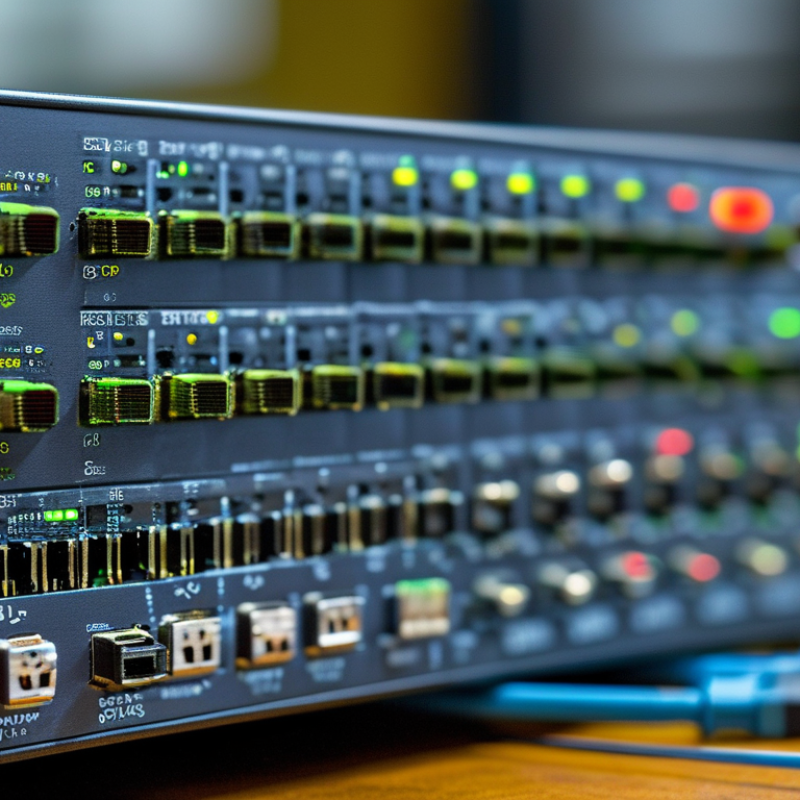
How to Choose a Hot Swappable Transceiver in 2026?

Define Hot-Swappable Transceivers and Their Role in Modern Networks

How to Choose a Hot-Swappable Transceiver in 2026?

A hot-swappable transceiver is a removable network module that can be inserted or replaced while equipment remains powered. It converts electrical signals into optical or copper signals. This design supports flexible connections between switches, routers, servers, and transmission systems. In practical rack work, a technician can replace a failed module without interrupting every active link. That small change can protect uptime during busy maintenance windows.

Its role in modern networks is increasingly important. Data centers often combine short fiber links, long-distance connections, and copper runs. Hot-swappable modules let teams match each port to its distance, speed, cable type, and power limits.

Before choosing one, verify the device’s supported standard and operating temperature. Check the connector, transmission range, diagnostic functions, and maximum power draw. A module may fit physically but still fail electronically.

Compatibility needs evidence.

I have seen replacements delayed because engineers checked speed but ignored firmware or port restrictions. That mistake is easy to make. Reliable selection requires installation records, supplier specifications, and testing in the actual network environment. Digital monitoring can reveal temperature, signal strength, and error trends after installation. Still, these readings are not perfect. Dust, poor cable routing, or a damaged connector can create confusing symptoms. I would also keep a tested spare nearby, because convenience does not remove operational risk.

Identify Compatibility Requirements Before Selecting a Transceiver

How to Choose a Hot Swappable Transceiver in 2026?

Compatibility must come before price or port density. Check the host port’s form factor, speed, lane structure, and supported standards. A QSFP-DD cage may not accept every eight-lane module. Verify the electrical interface, modulation type, FEC requirement, and breakout mode. Also match wavelength, fiber type, connector, and transmission distance. A 2-kilometer optic can fail in a 10-kilometer link. The 2023 Annual Internet Report projected global IP traffic at 396 exabytes per month by 2022, nearly five times the 2017 level. That growth increases pressure on dense, replaceable links. It also makes small compatibility errors more expensive.

In lab checks, I compare the equipment manual with the module’s compliance sheet. I confirm DOM support, operating temperature, power limits, and firmware behavior. Hot swapping is only useful when the system recognizes the replacement without service disruption. I once checked speed and reach but ignored FEC settings. The link stayed unstable. That shortcut was wrong. Standards compliance helps, but interoperability testing still matters. Some modules pass basic detection yet show poor performance under load. Build a written compatibility matrix before purchasing. Include switch model, port mode, cable type, optics class, and approved firmware.

Tips: Ask for a coded compatibility record, not a verbal promise. Test one module in the real chassis. Check alarms at room temperature and during sustained traffic. Keep a spare with identical specifications. Small details matter.

How to Choose a Hot Swappable Transceiver in 2026? - Identify Compatibility Requirements Before Selecting a Transceiver

Compatibility Dimension Common Requirement or Option Verified Technical Information Selection Checkpoint
Module Form Factor SFP, SFP+, SFP28, QSFP+, QSFP28, QSFP56, QSFP-DD, or OSFP The module must physically fit the equipment cage and match the host port’s electrical interface. A higher-density module is not automatically compatible with a lower-density cage. Confirm the exact port type, cage size, port speed, and approved module list in the host device documentation.
Hot-Swap Capability Field-replaceable transceiver with the host port remaining powered Many network platforms support insertion and removal while powered, but the feature depends on the host hardware, operating system, firmware, and maintenance procedure. Verify hot-plug support and follow the equipment manufacturer’s insertion, removal, and cleaning instructions.
Data Rate 1, 10, 25, 40, 50, 100, 200, or 400 Gb/s class A transceiver’s nominal rate must match the port and link protocol. Some ports support multiple negotiated rates, while others operate at only one fixed rate. Check whether the port supports the intended rate and whether auto-negotiation or manual speed configuration is required.
Protocol and Standard Ethernet, Fibre Channel, InfiniBand, or another supported electrical/optical standard A module with the correct physical size may still fail if its signaling standard, encoding, lane mapping, or protocol is not supported by the host. Match the transceiver standard with the switch, router, server adapter, storage device, or optical transport platform.
Fiber Type Multimode fiber (MMF) or single-mode fiber (SMF) MMF is generally used for shorter data-center links, while SMF supports longer-distance transmission. The module wavelength and optical design must correspond to the installed fiber. Identify the cable category, core size, installed fiber plant, and polarity before choosing the transceiver.
Wavelength Common optical windows include approximately 850 nm, 1310 nm, and 1550 nm The wavelength must be compatible with the matching transceiver at the far end and with the fiber and passive components in the link. Use matching wavelengths for duplex links unless the selected bidirectional design explicitly specifies complementary wavelengths.
Transmission Distance Short-reach, intermediate-reach, or long-reach optical design Reach depends on data rate, wavelength, fiber attenuation, connector loss, splice loss, and the module’s optical power budget. A stated reach is not a guarantee for every cable plant. Select a reach that exceeds the calculated link length and verify the total loss against the module’s minimum optical budget.
Connector Type LC duplex, MPO/MTP-style multifiber, or direct-attach electrical connector Duplex modules typically use two optical fibers, while parallel-optics modules use multifiber connectors and multiple optical lanes. Connector gender and polarity also matter. Match the connector, fiber count, keying, gender, and polarity to the existing patch panel or cable assembly.
Electrical Lane Configuration Single-lane, 4-lane, 8-lane, or 16-lane architecture Higher-speed modules commonly divide aggregate throughput across multiple electrical and optical lanes. Lane count and breakout capability must be supported at both ends. Confirm lane mapping, breakout mode, cable type, and whether the host port supports the required fan-out configuration.
Optical Link Budget Transmitter output power, receiver sensitivity, and maximum channel loss The link should provide enough received power for reliable operation without exceeding the receiver’s maximum input level. Connector, splice, and fiber losses must be included. Calculate total insertion loss and compare it with the published minimum and maximum optical limits.
Power Consumption Low-power module or higher-performance module with increased thermal output Power requirements vary by form factor, data rate, reach, optical technology, and temperature rating. Power also affects switch thermal capacity and port density. Check the host port’s maximum module power and confirm that the chassis cooling system can handle the planned density.
Operating Temperature Commercial, extended, or industrial temperature range Temperature ratings differ between modules. Operation outside the specified range can reduce reliability, optical performance, and service life. Compare the module rating with the actual equipment-room, outdoor cabinet, or industrial enclosure temperature range.
Digital Monitoring DDM or DOM telemetry for temperature, voltage, bias current, and optical power Digital monitoring can provide useful operating data, but the host system must support reading and interpreting the module’s monitoring information. Confirm monitoring support and define alarm thresholds for temperature, transmit power, receive power, and laser bias.
Host Authentication and Coding Platform validation, EEPROM identification, and firmware policy Some equipment validates module identification data or restricts unsupported transceivers. Physical and optical compatibility alone may not ensure the port will activate. Check the platform’s support policy, software version, coding requirements, and maintenance approval process before deployment.
Practical selection rule: Confirm host-port support, module form factor, protocol, data rate, fiber type, wavelength, connector, optical budget, power, temperature range, and platform validation before installing a hot-swappable transceiver.

Compare Speed, Reach, Form Factors, and Fiber Standards

How to Choose a Hot Swappable Transceiver in 2026?

Compare Speed, Reach, Form Factors, and Fiber Standards

Choosing a hot swappable transceiver begins with the network’s actual traffic demand. A 10Gbps module may suit a small server link, while data-heavy workloads often require 25Gbps, 100Gbps, or more. Check the switch port speed, lane structure, and supported Ethernet standard before buying. Higher speed is not always better. It can increase power use, heat, and replacement costs. During installations, I have seen fast modules underperform because the host system could not support their coding or firmware requirements.

Tips: Match the transceiver’s form factor with the equipment cage. SFP and SFP+ modules fit smaller ports, while QSFP designs support multiple lanes and higher capacity. Confirm the required reach, too. Short links may use direct-attach copper, while longer fiber paths need optical modules. Measure the route, including patch panels. Do not estimate.

Fiber standards deserve careful attention. Multimode OM3 or OM4 fiber commonly supports short data-center connections, while single-mode OS2 serves longer distances. Connector choice also matters. LC is practical for duplex links, whereas MPO or similar multi-fiber connectors support parallel transmission. Verify wavelength, distance rating, and link budget together. A module rated for ten kilometers may fail on a poor splice or dirty connector. Compatibility tables help, but they are not perfect. Test the link after installation, and record temperature, error counts, and optical power for future troubleshooting.

How to Choose a Hot-Swappable Transceiver in 2026?

Compare speed, reach, form factors, and fiber standards

Transceiver Class Form Factor Fiber Standard Typical Reach Common Use
10G SR SFP+ OM3 / OM4 multimode fiber 300–400 m Data center links
25G SR SFP28 OM3 / OM4 multimode fiber 70–100 m Server and switch uplinks
100G SR4 QSFP28 OM3 / OM4 multimode fiber 70–100 m Short-range high-density links
100G LR4 QSFP28 Single-mode fiber Up to 10 km Campus and metro connections
400G DR4 QSFP-DD / OSFP Single-mode fiber Up to 500 m High-bandwidth data center fabrics

Choose the lowest speed that meets current and near-term bandwidth requirements, then match the optical reach to the installed fiber. Multimode standards are usually cost-effective for short data center runs, while single-mode standards support longer distances. SFP+, SFP28, QSFP28, QSFP-DD, and OSFP modules are commonly designed for hot-swappable installation, but host-device compatibility, port coding, connector type, and link budgets should be verified before deployment.

Evaluate Power Use, Temperature Ratings, and Network Reliability

How to Choose a Hot Swappable Transceiver in 2026?

Evaluate Power Use, Temperature Ratings, and Network Reliability

Choosing a hot-swappable transceiver in 2026 requires more than matching port speed. Power, heat, and recovery behavior interact inside a dense rack. The Uptime Institute’s 2024 Global Data Center Survey found that more than half of respondents experienced an outage during the previous three years. That figure is a warning, not a prediction. A module that saves one watt but raises error rates can cost far more during troubleshooting.

Check measured power at the intended speed, breakout mode, and cable length. Do not trust a typical value alone. Compare maximum draw, airflow direction, and chassis limits. The 2024 Uptime Institute survey also identifies power capacity as a growing data-center constraint. Every extra watt becomes heat. In a practical test, monitor digital diagnostics while the rack reaches its warmest intake temperature. A 0–70°C commercial rating may fail if airflow is uneven. For exposed or poorly controlled sites, an extended temperature range deserves serious consideration.

Reliability needs evidence. Verify IEEE 802.3 compliance, forward-error-correction behavior, bit-error-rate results, and host-switch interoperability. Cisco’s Annual Internet Report projected global data-center traffic would grow at a 20.6% CAGR from 2016 to 2021. Newer workloads are hardly becoming gentler. Test removal and insertion under load. Small mismatch, big outage. I would reserve thermal headroom rather than design to the limit. That choice looks inefficient on paper, but field conditions are rarely elegant.

Verify Interoperability, Safety Compliance, Warranty, and Total Cost

Choose by evidence, not cage size or advertised speed. In practical lab checks, test the transceiver with the exact host, firmware, fiber, and switch profile. Verify MSA alignment, EEPROM identification, digital diagnostics, link training, and error counters. Confirm that the host supports hot insertion and removal without resets. A link that works on a bench may fail after a firmware update. Test twice.

Uptime Institute’s 2024 Global Data Center Survey found that 54% of respondents reported their latest outage cost more than $100,000. That figure makes interoperability a financial control, not a checkbox. Confirm IEC 62368-1 safety evidence and applicable conformity documents. Check optical power limits, temperature ratings, laser classification, RoHS status, and traceable serial records. Compliance paperwork without matching product identifiers is weak evidence.

Ask for warranty length, advance replacement terms, return procedures, and technical response times. Request failure-rate assumptions, not vague reliability language. The International Energy Agency’s Energy and AI report estimates data centers used 415 TWh in 2024, potentially reaching 945 TWh by 2030. Therefore, calculate total cost using power consumption, expected service life, replacement labor, downtime, and disposal. A cheaper optic can become expensive quickly. I still find warranty coverage difficult to compare because suppliers define “failure” differently. That is an uncomfortable gap. Record every assumption in the purchase file.

FAQS

What should be checked before selecting a hot-swappable transceiver?

Check form factor, speed, lane structure, standards, electrical interface, modulation, FEC, wavelength, fiber, connector, and distance. Compatibility comes first.

Can every eight-lane module work in a QSFP-DD cage?

No. The cage may reject modules with different electrical interfaces, breakout modes, or supported standards. Check the equipment manual carefully.

Why must transmission distance match the optical specification?

A two-kilometer optic may fail on a ten-kilometer link. Confirm reach, fiber type, wavelength, and connector before installation.

How can interoperability be tested properly?

Test the exact module, host, firmware, fiber, and switch profile together. Check identification, link training, diagnostics, and error counters. Test twice.

Does hot swapping always prevent service interruption?

No. The host must support insertion and removal without resets. The replacement must also be recognized correctly. Bench success is not enough.

What safety and compliance evidence should be requested?

Request safety certification, conformity documents, laser classification, temperature ratings, power limits, and material compliance records. Match every document to the product serial number.

How should warranty and reliability claims be evaluated?

Ask about warranty length, replacement timing, returns, technical response, and failure-rate assumptions. Definitions of “failure” can differ. That comparison remains imperfect.

How is the total cost of a transceiver calculated?

Include purchase price, power use, service life, replacement labor, downtime, and disposal. A cheaper optic can become expensive quickly. Record each assumption.

Conclusion

Choosing a hot swappable transceiver requires more than matching a network speed. These modules allow technicians to replace or upgrade connectivity without shutting down equipment, helping modern networks maintain continuous operation. Before selecting one, confirm compatibility with the switch, router, port type, protocol, and management system. Then compare data rates, transmission distance, form factor, connector type, and fiber standards to ensure the transceiver fits both current infrastructure and future expansion plans.

Power consumption and temperature ratings should also be evaluated, especially in dense or demanding environments. Reliable performance depends on stable signal transmission, suitable operating conditions, and effective monitoring. Buyers should verify interoperability through testing, review relevant safety and compliance certifications, and examine warranty coverage and technical support. Finally, consider total cost, including installation, energy use, maintenance, and potential replacement expenses. A well-selected hot swappable transceiver can improve network flexibility, reduce downtime, and provide dependable long-term value.

Amelia

Amelia

Amelia is a seasoned marketing professional with a wealth of expertise in our company’s core offerings. With an unwavering passion for driving growth and innovation, she plays a pivotal role in shaping our marketing strategies and enhancing brand visibility. A key aspect of her responsibilities......